Custom QR Code Generator with Logo: Design, Brand Colors & High-Res Vector Guide
Standard black-and-white QR codes feel cold, generic, and uninviting. Adding your corporate logo, custom brand colors, and stylized corner dots increases consumer scan rates by up to 40%. Here is everything you need to know about designing branded QR codes that scan instantly.

- A custom QR code generator with logo keeps your brand visible at the exact moment a customer decides to scan.
- Keep the foreground darker than the background and set error correction to Q or H before adding any logo.
- Export print work as SVG vector; a 1000x1000 PNG is enough for screens and email.
- Save one brand recipe (shapes, colours, logo, label) and reuse it for every code you publish.

Why Brand Customization Matters for Scan Conversion
When consumers see a standard black square, they have no idea where it leads. Could it be malicious? Is it spam? By embedding your authentic brand emblem and using your company's signature palette, you establish immediate trust before the camera even focuses.
Choosing Brand Colors That Maintain High Contrast
QR code scanners rely on luminance contrast between the foreground dots and the background. Follow these fundamental color rules:
- Always keep the foreground darker than the background: A navy, deep forest green (#008170), or plum pattern on pure white (#FFFFFF) scans instantly. Light pastel patterns on white will frequently fail in direct sunlight.
- Using Gradients Safely: Linear and radial gradients look gorgeous on flyers and table tents. However, ensure that even the lightest stop of your gradient remains significantly darker than the background canvas.
- Avoid Inverting Colors: While inverted QR codes (white dots on a black background) look modern, some built-in Android camera scanners struggle with negative contrast. Stick with dark-on-light whenever possible.

Selecting the Right Error Correction Level for Logos
When you place an image in the middle of a QR code, you are effectively covering up data. QR codes use Reed-Solomon redundancy to reconstruct hidden information:
| Error Correction Level | Data Recovery | When to Use |
|---|---|---|
| Level L | Up to 7% | Plain text without any central logo. |
| Level M | Up to 15% | Small monochromatic dot icons. |
| Level Q (Quartile) | Up to 25% | Recommended for standard brand logos. |
| Level H (High) | Up to 30% | Complex, colorful logos and outdoor posters. |

Vector SVG vs High-Res PNG: Which Should You Export?
For websites, digital slides, and email footers, a 1000x1000px PNG is fast and universally supported. However, for anything printed—such as vinyl stickers, aluminum signs, clothing tags, or product packaging—always download the SVG vector format. SVGs scale infinitely without blurring or pixelation.
Related Technical Guides

The customisation options that actually matter
A custom generator offers dozens of controls, but four decide whether the result looks professional and scans. First, module shape: rounded or dotted modules soften a code's look while keeping the pattern complete — choose them for consumer brands, keep classic squares for industrial uses. Second, corner styling: the three finder patterns can be rounded or framed to match a logo's geometry, and they must stay high-contrast whatever you choose. Third, gradient colour: a gradient that stays dark end-to-end (deep blue into teal, for example) is safe, while a gradient fading toward yellow or pastel breaks scanning at its light end. Fourth, the label beneath the code — a short badge such as SCAN ME or MENU — which measurably lifts scan rates in public places. Everything else is seasoning. Build with all four in the free custom QR code generator, and study the frame options in custom QR codes with logos and frames.

A professional workflow, start to finish
Professionals treat a branded code like a logo lockup: define it once, then reuse it everywhere. Fix your brand's code recipe — module shape, corner style, two brand colours, logo version, label style — and save a master SVG. Every new destination (menu, packaging, window, card) then gets generated from the same recipe, so a customer who has scanned you anywhere recognises you everywhere. Keep a one-page brand sheet with the recipe and the test rule: every export is scanned on an iPhone and an Android at final size before it leaves the studio. That small ritual is the entire difference between custom codes that build a brand and custom codes that quietly fail in the wild.
The bottom line: customisation is a system, not a decoration session — four controls, one recipe, tested every time, and your codes become recognisable brand assets instead of one-off experiments.
Testing a custom design like a sceptic
Do not test your own code the way you hope customers will scan it — test it the way they actually will: quickly, one-handed, in mixed light, with a mid-range phone whose owner has never seen the design. Print the proof at final size, place it where it will live, and scan from the real distance and angle. Then damage it lightly — a fold, a fingerprint smudge, a low battery dimming the screen — and scan again. A custom design that survives sceptical testing can be trusted with a print run; one that only works on the designer's flagship phone under studio light is a draft, not a deliverable.

Custom QR code design mistakes that quietly kill scans
Most failed branded codes do not fail in the generator — they fail in the details nobody checked. The first mistake is size: a logo that covers more than about 25% of the code area eats into the data modules faster than error correction can rebuild them, especially once print blur and camera noise are added. The second is contrast drift: a brand palette that looks rich on screen may contain a mid-tone blue or green that scanners read as grey, shrinking the effective contrast below what phone cameras need in poor light. The third is decoration creep — frames, shadows and gradients layered on top of each other until the quiet zone around the code disappears and the scanner cannot find the pattern at all.
The fix is a short pre-flight routine that takes two minutes. Generate the code with the free custom QR code generator with logo, keep exactly one decorative idea (shape, gradient or frame — not all three), and scan the final artwork, at final size, on the oldest phone you own. If that phone reads it instantly, every newer phone will too.
- Logo covers no more than 20-25% of the code area
- Quiet zone of at least 4 modules stays empty on all sides
- Darkest gradient stop is still clearly darker than the background
- Final artwork test-scanned at the real print size
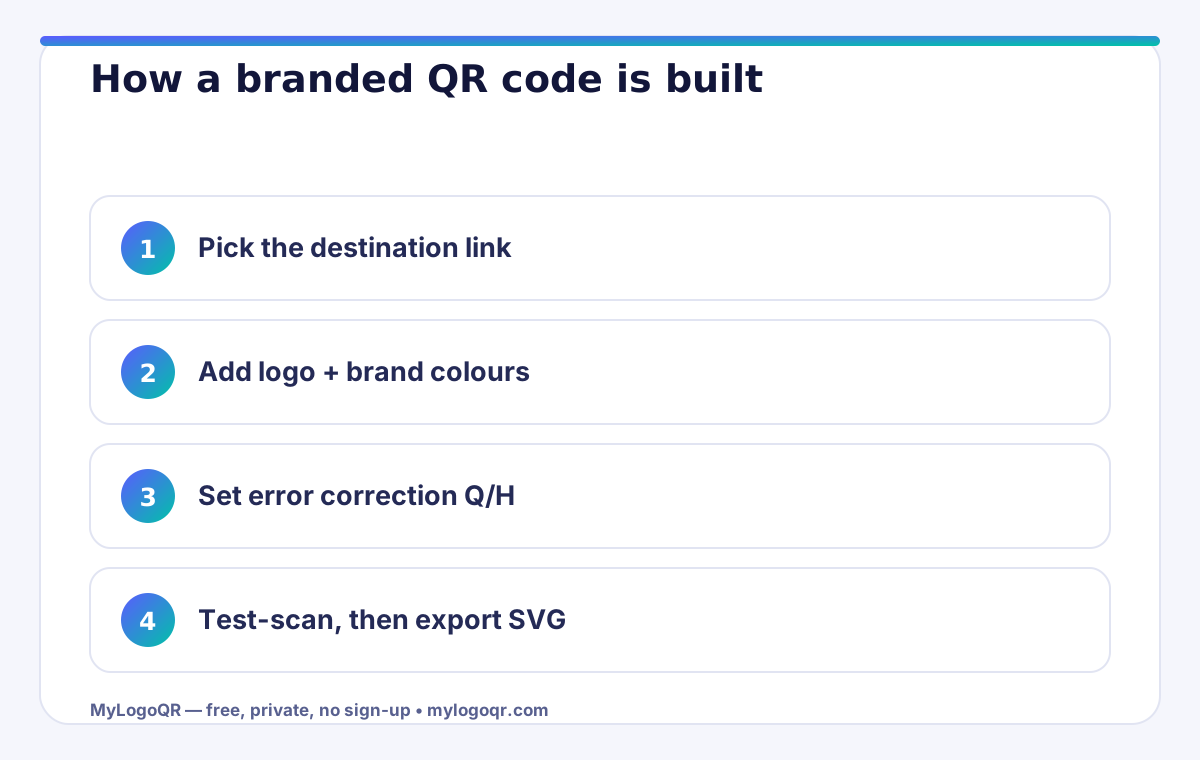

Where custom QR codes with logos earn the most scans
Placement decides scan rates more than design does. A custom QR code generator with logo produces the best returns where people already pause with a phone in hand: café table tents, product packaging, shop windows, business cards, event badges and delivery boxes. In each of these spots the logo does real work — it tells the scanner whose code this is before the camera opens, which is exactly the trust signal a plain black square cannot give.
Pair every placement with a one-line promise next to the code: what the scan delivers, in five words or fewer. “Scan for the menu”, “Scan to save my contact” and “Scan for 10% off” consistently outperform a bare code, because the reader is buying an outcome, not a technology. Track which placements earn scans by generating a separate code per location — with static codes that costs nothing and turns guesswork into a simple ranking you can act on next month.
Frequently asked questions
Do shaped or dotted QR codes scan as reliably as square ones?
Yes, when the pattern stays complete and contrast stays strong. Rounded and dotted modules are standard options; the scanner reads module positions, not their exact shapes.
Are gradient QR codes safe?
Yes, if every part of the gradient remains clearly darker than the background. Avoid gradients that fade to pale colours at one end.
Can I save my brand style and reuse it?
Keep a master file and a short brand recipe — shapes, colours, logo and label — and regenerate each new code from that recipe so every code matches.
How big should a custom QR code with a logo be when printed?
For hand-held print such as cards and flyers, 2 x 2 cm is the practical minimum; for posters and windows, allow roughly 1 cm of code width for every 10 cm of scanning distance. Always test at the final size.
Can I change the link inside a custom QR code after printing?
A static code encodes the destination directly, so the link cannot change after printing. If the destination may change, point the code at a stable page you control and update that page instead.
Recommended Logo & Design Deep-Dives:
- Need a pre-calibrated center logo generator? Try QR Code Generator with Logo in Middle.
- Remove white boxes behind your code: Transparent PNG QR Code Generator.
- Best free tools review: Best Free QR Code Generator with Logo (No Sign-Up).
- Looking for alternatives? See Best QRCodeMonkey Alternative with Free Vector SVG.
- Designing inside Canva? Check How to Import Vector QR Codes into Canva.
- Add custom borders and frames: Custom QR Codes with Logos & Frames Guide.
- Fun novelty branding: How to Create a QR Code with the Chrome Dinosaur Logo.