
- Most paper cards are thrown away within a week; a vCard QR code saves your contact directly into the phone.
- A digital vCard never runs out, never needs a reprint when your role changes, and costs nothing per share.
- The winning setup is hybrid: one printed card or badge carrying the QR code, reused at every meeting.
- Update the destination page, not the code, when your number or title changes.

The Grim Reality of Traditional Networking Waste
Every year, corporate enterprises spend over $8 billion printing billions of traditional cardstock business cards. According to landmark analytics by the Environmental Protection Agency and print industry trade groups, over 88% of all physical business cards distributed at conferences, sales meetings, and trade shows are discarded in hotel trash cans within seven days.
Even among the 12% of cards that make it back to an office, the vast majority sit forgotten in desk drawers or briefcases. The sheer friction of manually transcribing an email address, phone extension, office suite, and website URL into Microsoft Outlook or Google Contacts prevents business relationships from flourishing.

The Mechanics of the vCard 3.0 Standard
A digital vCard (Virtual Contact File) QR code encodes contact metadata according to RFC 2426 specifications. Rather than sending the user to an intermediate promotional landing page packed with cookies and third-party trackers, a pure static vCard QR code embeds the raw contact payload directly inside the 2D matrix:
When the camera lens encounters the BEGIN:VCARD header, both Apple iOS and Google Android bypass the browser entirely and invoke the operating system’s native address book daemon. The contact is ingested with zero typos.

Comprehensive Cost & Sustainability Comparison
| Feature & Metric | Digital vCard QR Code | Traditional Paper Cards | Proprietary NFC Tap Cards |
|---|---|---|---|
| Annual Cost per Employee | $0.00 (Free forever) | $180 - $350 / year | $40 - $120 initial card fee |
| Updating Information | Instant (Re-generate in 10s) | Throw away entire box | Requires subscription portal |
| Hardware Compatibility | 100% of camera phones | Manual transcription | Fails on metal cases / disabled NFC |
| Environmental Footprint | Zero paper waste | Heavy deforestation & bleaching | Non-biodegradable plastics/chips |

How Professionals Display Their vCard QR in 2026
-
Smartphone Lock Screen Wallpaper: Embed your high-contrast vCard QR code in the bottom corner of your phone's lock screen. At any conference or impromptu elevator encounter, simply tap your phone display to be scanned.
-
Virtual Zoom / Google Meet Backgrounds: Position your vCard in the top-right corner of your video conferencing background. Remote clients and webinar attendees can capture your details without leaving the call.
-
PDF Proposals & Keynote Slides: Place your vCard QR code on the final slide of your sales pitch deck: "Scan to connect with today's speaker".

88% of Paper Business Cards End Up in the Trash in Under 7 Days
Statistical research across international tech expos and trade conferences reveals a sobering reality: out of 10,000 paper business cards distributed, over 8,800 are discarded within a single week without the contact ever being saved into a smartphone address book.
When you place a digital vCard QR code on the back of your smartphone, badge lanyard, or digital presentation slide, the prospective client points their camera, taps the notification, and your complete digital profile—including direct phone, email, WhatsApp, and LinkedIn QR code generator URL—is instantly saved to their native iOS Contacts or Google Contacts.
👤 Craft Your Digital vCard Business Card QR Code
Encode your name, phone, email, company, job title, and portfolio website into a contactless digital business card. Direct 1-tap phonebook saving on iOS and Android.
Create Digital vCard QR →Related Technical Guides

The hybrid card: paper outside, digital inside
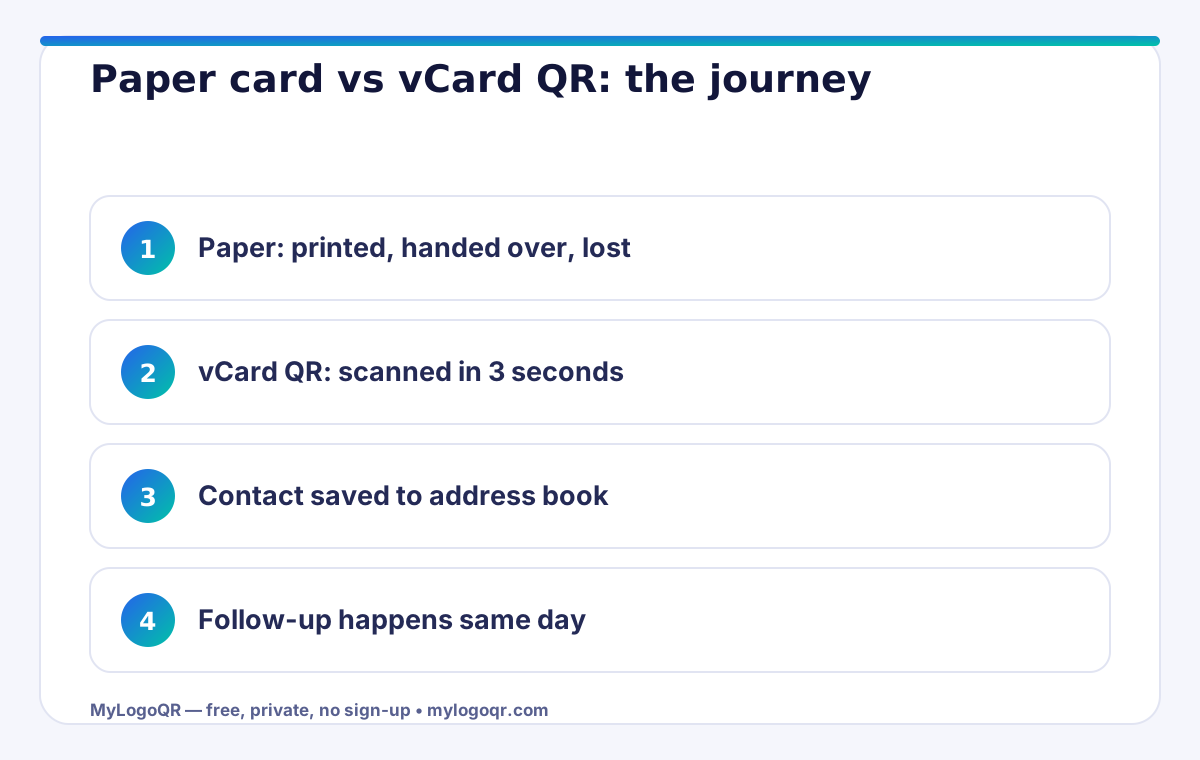
The strongest answer to "digital or paper" is a card that is both: a beautifully printed paper card carrying one well-made vCard QR code. The paper does what paper is good at — texture, weight, a first impression in the hand — while the code does what paper cannot: it installs you in the phone's address book before the card reaches a pocket. Create the code in the free vCard QR code generator, design the card around it with the business card QR code generator, and keep the rest of the card calm — name, role, one line of contact for the non-scanners. Every other channel (email signature, badge, vehicle) can carry the same code, so the system costs one design and pays out everywhere.

What the numbers on your desk drawer already tell you
Most paper cards are thrown away within a week — not from rudeness, but because keeping them demands effort the moment rarely justifies. A saved contact faces no such test: it syncs, it searches, it survives phone upgrades. That asymmetry is the whole argument. The card's job is no longer to be kept; it is to trigger the save. Judge your own card by that standard — if a stranger could not get from your card into their contacts in under ten seconds without typing, the card is memorabilia, not a tool. The professionals who network hardest treat the scan as the handshake's second half, and they design everything else on the card to make that scan happen.

The real cost of paper cards nobody puts in the budget
Paper business cards look cheap because the cost is split into small, forgettable invoices: design time, print runs, reprints every time a phone number, title or logo changes, and the shipping and storage of boxes nobody opens. The larger cost is invisible — every card that lands in a drawer or a bin is a conversation that never becomes a contact. A digital vCard QR code removes the whole chain: the code is generated once with a vCard QR code generator, the contact details are encoded directly in the pattern, and the person you met saves your name, number, email and website to their phone in one tap — no app, no typing, no transcription errors.
There is also a timing advantage that paper cannot match. When a prospect saves your contact at the moment of conversation, your name is in their phone when they are ready to buy — searchable, tappable and complete with your photo or logo if your vCard includes it. A paper card, even a kept one, still asks them to type your details later, and later is where most follow-ups quietly die.

What to put in a vCard QR code (and what to leave out)
A good vCard is complete but not crowded. Include the fields a customer needs to reach you through their preferred channel, and leave out anything that belongs on your website instead of in an address book.
- Full name, job title and company exactly as you introduce yourself
- Mobile number and work email — the two channels people actually use
- Website or booking link, so the saved contact doubles as a shortcut
- Leave out: fax numbers, long bios and multiple social profiles
Test the finished code with both an iPhone and an Android phone before printing it anywhere. Apple and Android handle a few vCard fields differently, and a two-minute check guarantees the contact saves cleanly — photo, links and all — on the devices your customers actually carry.
Frequently asked questions
Do digital vCards replace business cards completely?
For many professionals, yes — but the most effective setup is hybrid: a paper card carrying a vCard QR code, so the impression is physical and the contact save is digital.
What if someone cannot or will not scan the code?
Keep your name, phone and email printed in readable type on the card. The code is the fast path, not the only path.
Is a vCard QR code free to create?
Yes. Static vCard codes are generated in your browser at no cost and never expire, because the contact details live inside the code itself.
Does a vCard QR code work without internet?
Yes. A static vCard QR code stores the contact data inside the pattern itself, so it scans and saves completely offline — no website or server is involved.
Can I update my details after printing a vCard QR code?
The encoded details are fixed in a static code. If your details change often, encode a short link to your online contact page instead, and update that page whenever needed.