QR Code Event Ticketing: Complete Guide to Fast, Secure Admissions
Paper event tickets are easy to counterfeit, misplace, and duplicate. Modern concert venues, charity galas, and tech conferences use encrypted QR code digital tickets for instantaneous gate check-ins.

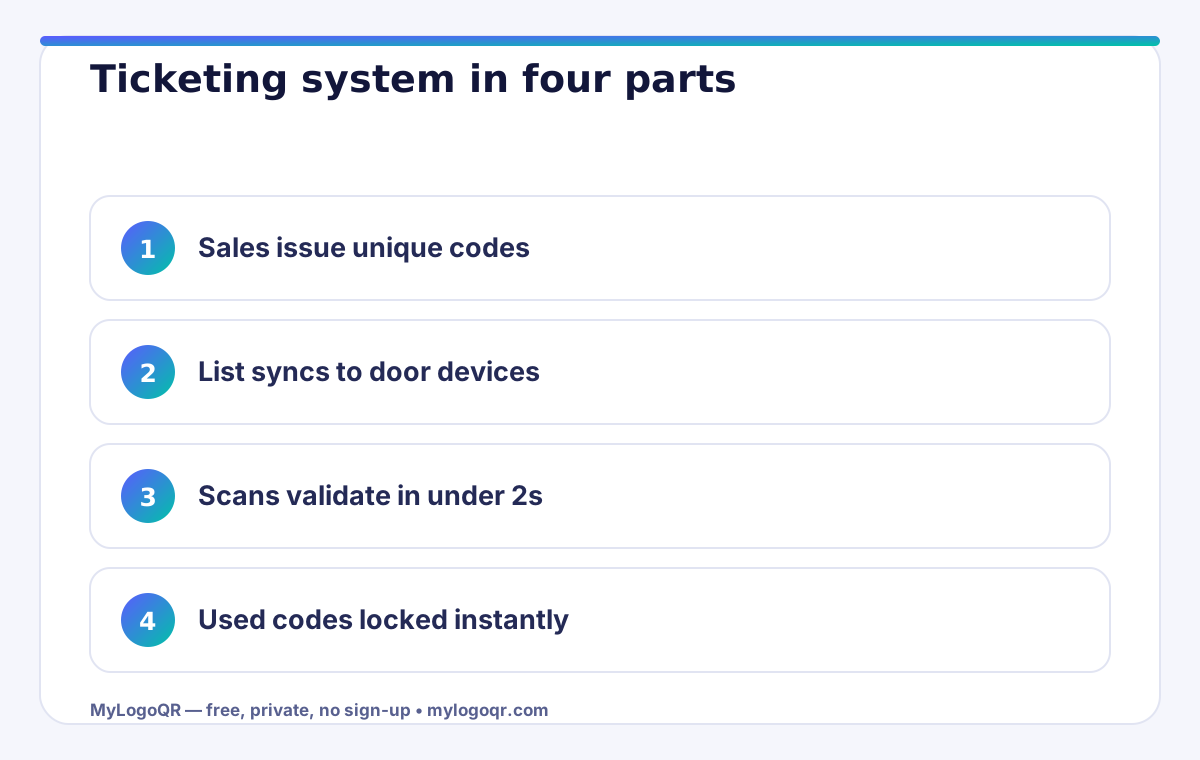
- Every ticket gets a unique code; the check-in list, not the code design, is the security system.
- Sync devices before doors and let them work offline — venue networks fail exactly when crowds arrive.
- Lane math matters: one scanner clears roughly 300-400 guests per hour at a steady pace.
- Send guests a calendar QR code with the ticket so reminders cut no-shows before the day.

How QR Code Ticketing Systems Prevent Gate Fraud
In a standard electronic ticketing system, each purchased seat or ticket is assigned a unique cryptographic token or serial UUID encoded into a QR code. When an attendee arrives at the venue entrance:
- The gate attendant scans the attendee's mobile screen or printed confirmation pass using a handheld smartphone or scanner.
- The scanner checks the token against the central database and flags it as 'Checked In'.
- If a scalper tries to enter with a photocopied duplicate of the same ticket, the system immediately rejects it as 'Already Scanned'.

Offline Ticketing vs Cloud Sync
For outdoor festivals or subterranean venues with spotty cellular reception, check-in apps pre-download the attendee ticket database locally. Offline scanners validate cryptographic signatures on device and sync records when connectivity is restored.
Related Technical Guides

What to encode in a ticket QR code
A ticket code has one job: prove, at the door, that this person may enter. The safest payload is a unique ticket ID — a short string such as EVT26-00417 — that your entry list can check off. Encoding the ID as plain text keeps the whole system offline-friendly: the ID is inside the pattern, so a scanner app or a simple list on a phone can verify it without a venue network. MyLogoQR's free text QR code generator is ideal for IDs, while codes that should open a booking page, a seating map or an event programme belong in the main QR code generator as URL codes. Compare the formats side by side on the QR code types page before you commit to a print run.

Entry workflow: duplicates, speed and offline checks
Most ticketing failures are workflow failures, not code failures. A screenshot of a valid ticket can be shared with five friends, so the door system — even a paper list — must mark each ID as used the first time it is presented. Keep one entry list per gate, sync gates during breaks, and brief staff that a code which scans fine can still be refused if its ID is already checked in. Speed matters too: a queue forms when codes are small, glossy or badly lit, so print tickets with a clear quiet zone, a matte finish where possible, and a code at least 2.5 cm wide for arm's-length scanning.
- One ID, one entry. Generate a unique code per ticket, never one shared code for a whole event.
- Test the worst ticket. Print the longest ID, crumple it lightly, and scan it in the venue's real lighting before doors open.
- Plan for dead batteries and no signal. Text-based IDs plus a printed backup list keep entry moving when the network does not.
- Brand the ticket. Your event logo in the centre (20–25%, error correction H) makes screenshots easier to spot and tickets harder to forge casually.

Common event ticketing mistakes
The classic disaster is one shared QR code for the whole event: it looks tidy on the poster, but it proves nothing at the door because it cannot distinguish one guest from the next. Every ticket needs its own unique ID. The second mistake is trusting the scan alone — a scanner only reports that a code is readable, not that it is unused, so without a checked-off list (app, spreadsheet or paper) the same screenshot walks in five times. Third, organisers test codes on their own new phones under office lights, then discover at the venue that stage glare, glossy ticket stock and older devices slow the queue to a crawl; proof tickets on the real stock, in the real space, with a mid-range phone. Finally, do not bury the code in artwork. Tickets need a clean quiet zone and strong contrast more than they need decoration — brand them with the logo and label features, then leave the pattern itself alone.

Quick start checklist
- Decide the payload first: a unique plain-text ID for offline door checks, or a URL when the ticket must open a page.
- Generate one code per ticket — never one code for the whole guest list — and keep a master list of every ID issued.
- Brand each ticket with the event logo at error correction H, and label it clearly as the entry pass.
- Proof-print the longest ID on the real ticket stock and scan it in the venue's lighting with a mid-range phone.
- Brief door staff on the one rule that matters: an ID is admitted once, then marked used — no exceptions for screenshots.

Choosing the right setup for your event size
A QR code event ticketing system scales in steps, and buying the wrong step wastes money in both directions. Under about 200 guests, a phone-based setup is enough: unique codes on emailed tickets, one check-in app or shared list per door, and a printed backup list for the exceptions desk. Between 200 and 2,000 guests, add dedicated door devices, a pre-synced offline list and a rehearsed lane layout. Above that, you are in professional territory — multiple entry points with live sync, tiered access zones and a control screen watching scan rates per lane. The common thread at every size is the unique code plus the validated list; the layers above it are comfort, not security.
Whichever step you choose, send the ticket with a calendar event QR code beside it. Guests who add the event to their calendar with an automatic reminder simply show up more — the cheapest attendance upgrade in the whole system.

Door rehearsal: the 20-minute drill that saves the night
Professional door teams rehearse like it matters, because the first ten minutes of entry set the crowd's mood for the whole event. The drill is short and unglamorous, and it catches nearly every failure while the fix is still cheap.
- Charge every device, sync the final list, then switch one device to airplane mode and prove it still validates
- Scan the printed test ticket at every lane, including the worst-lit one
- Walk three fake guests through: a duplicate, a screenshot and a wrong-tier ticket
- Agree the exact words staff use for a rejected scan — calm, short, and with a next step
After doors, keep the scan log. Entry curves from this event — when the crowd actually arrived, which lane backed up — are the planning document that makes the next event's staffing obvious instead of argued.
Frequently asked questions
Can one QR ticket be used twice?
The code itself will scan as many times as it is shown. Preventing re-entry is the check-in workflow's job: record each unique ticket ID when it is first presented and refuse IDs already marked as used.
Do ticket QR codes need an internet connection at the door?
Not if the ticket ID is encoded as plain text. The ID is read from the pattern itself, so staff can check it against a local list completely offline.
Should event tickets use static or dynamic codes?
Static codes are free, never expire and are usually enough for a single event with fixed details. Dynamic codes only earn their subscription when you must change the destination after printing or need per-scan analytics.
Can guests screenshot and share their QR ticket?
They can share the image, but it only admits once. The first scan marks the code used; every copy after that is rejected at the door.
What internet connection does a QR ticketing system need?
Only for syncing the attendee list before and after the event. During entry, devices should validate against the locally stored list so a network drop never stops the doors.