QR Codes on Product Packaging: Smart Labels for Consumer Engagement
Physical retail packaging has limited surface area. A well-placed QR code turns passive boxes into dynamic interactive portals for warranty registration, video tutorials, and social media unboxings.

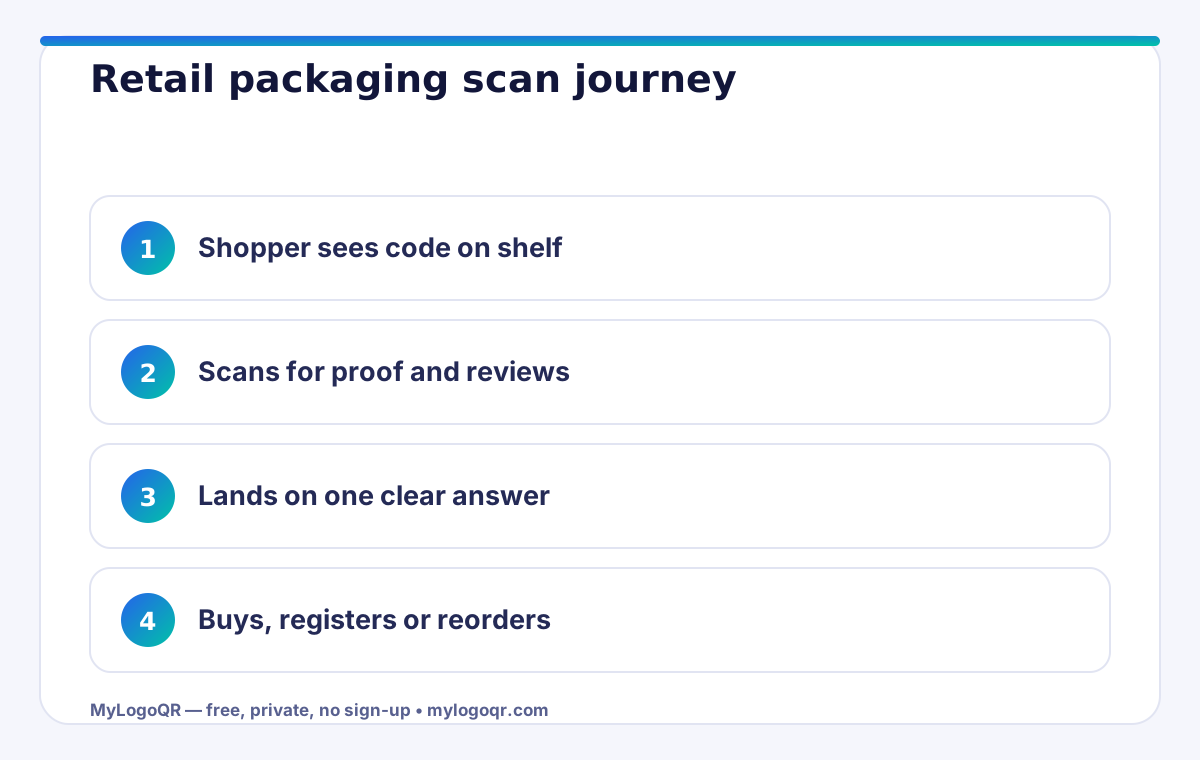
- Shoppers scan packaging codes for proof: authenticity, instructions, reviews and reorder — in that order.
- Size for the shelf: a code meant to be scanned standing in an aisle needs to be bigger than a counter code.
- The destination must answer in one screen; retail attention is measured in seconds.
- Different codes per retailer or batch turn packaging into a measurable channel.

Top 4 High-Converting Packaging QR Code Use Cases
- Interactive Setup Guides & Video Manuals: Instead of stuffing thick multilingual instruction booklets inside the box, link customers to a YouTube video tutorial demonstrating quick assembly.
- Warranty & Product Registration: Encourage buyers to register their purchase within 30 days to activate warranty coverage, helping you build a direct relationship with retail customers.
- Product Authenticity & Batch Verification: Reassure buyers in luxury, beauty, and supplement niches that their item is authentic and has passed quality control.
- Social Unboxing & Community Sharing: Prompt happy buyers to film unboxing reels on Instagram and TikTok with a dedicated hashtag.

Packaging Design Tips: Placement, Sizing & Materials
- Minimum Print Size: Keep packaging QR codes at least 2.0 x 2.0 cm. Anything smaller may fail on budget smartphone cameras.
- Respect the Quiet Zone: Maintain a clean margin of white space (at least 4 modules wide) around the code. Placing graphics or text right up against the outer corner markers breaks scan accuracy.
- Avoid Curved or Glossy Surfaces: Glossy foil laminates reflect light and create camera glare. Place QR codes on flat, matte sections of packaging whenever possible.
Related Technical Guides
What shoppers expect when they scan packaging
A packaging code creates a promise: scan me and something useful happens. Shoppers keep that promise in mind for about three seconds — if the code opens a homepage, a PDF that will not load, or a page unrelated to the product in their hand, trust is gone. The destinations that earn their place on a pack are specific: a how-to video for that exact product, ingredients and allergen detail, a warranty registration form, reordering, or a reviews page. Create the code for that destination in the free QR code generator with logo, style it to the pack, and then test the whole journey on a mid-range phone over mobile data, because that is the journey your customer will take.
Print production checklist for packaging QR codes
Packaging is the least forgiving print surface: curves, gloss, foil and small panels all fight the scanner. Work through this checklist before any production run, and read the companion guide on custom QR codes with logos and frames for the design side.
- Size for the scanning distance. Shelf products are scanned at 20–40 cm, so 2 cm is a floor, not a target; bigger is kinder on curved bottles and tubes.
- Protect the quiet zone. Keep a clear border of four modules around the code — no text, seams or artwork may touch it.
- Contrast beats creativity. A dark pattern on a light, matte patch scans everywhere; light-on-dark and metallic inks fail on older phones.
- Export SVG for production. Vector files stay sharp at any size in Illustrator or your printer's workflow; PNG is for screens and office printing.
- Proof on the real material. Print on the actual film, foil or board, form it into shape, and scan in supermarket lighting — not just on office paper.
Retailers can close the loop after purchase by pairing the pack code with a counter code from the Google Reviews QR code generator, so the same happy customer who scanned the pack can rate the shop while the experience is fresh.

Common packaging QR code mistakes
The most expensive mistake is the destination, not the design: a code that opens your homepage wastes the one moment of attention the pack had earned. Send the scanner to something made for that product — setup, ingredients, warranty, reorder — and keep that page stable for the life of the packaging. Second is designing on a flat screen for a curved world: codes stretched over bottle shoulders, tube seams and foil pouches distort and catch reflections, so place the code on the flattest panel and proof it formed, filled and under shop lighting. Third is brand colour bravery — pale inks, gradients that fade to near-background, and metallic finishes all starve the scanner of contrast. Keep the modules properly dark on a light matte patch even when the rest of the pack shines. Fourth, skipping the pre-production scan test on final materials: paper proofs lie, production stock tells the truth, and discovering a failure after fifty thousand units is a very expensive way to learn it.

What shoppers actually want from a packaging scan
Retail research keeps returning the same short list, and it is more practical than marketers expect. Standing in an aisle, a shopper scanning QR codes on product packaging wants confirmation, not entertainment: Is this genuine? Will it work with what I own? What do other buyers say? How do I use it properly? A landing page that answers the matching question in the first screen — with the manual, the compatibility line or the reviews a tap away — converts the scan into confidence. A page that opens with a brand film converts it into a closed tab. Match the promise printed beside the code to the page's first screen exactly, and scan-through rates follow.
Reviews deserve special handling because they cut both ways: linking the pack to your review profile through a Google Reviews QR code makes social proof one scan away for the shopper and builds the rating that sells the next unit.
Sizing and placement rules for retail shelves
A packaging code has two scanning distances in its life: arm's length at home, and up to a metre on a shelf or display. Design for the longer one. As a working rule, plan at least 1 cm of code width per 10 cm of expected scanning distance, then add margin — shelf codes under 25 mm wide are decoration, not tools. Keep the code on a flat, front-facing panel where a shopper's camera finds it without rotating the product, and never let it straddle a seal, fold or curved shoulder of a bottle.
- Code width matched to shelf distance, minimum 25 mm for display packs
- White code panel on dark or illustrated artwork — never a reversed code
- Promise text beside the code matches the landing page headline
- Shelf proof scanned under store lighting from one metre
Frequently asked questions
What is the smallest safe size for a packaging QR code?
For products scanned at arm's length, treat 2 cm as the minimum and go larger on curved or glossy surfaces. The ten-to-one rule — one centimetre of code per ten centimetres of scanning distance — is the reliable guide.
Can I put my brand logo inside a packaging QR code?
Yes. Keep the logo near 20–25% of the code's width, set error correction to Q or H, and proof on the real packaging material before the production run.
What if the destination page changes after printing?
A static code always opens the address encoded in it, so point packaging codes at a stable page you control — you can update that page's content freely without reprinting the pack.
How big should a QR code be on product packaging?
For shelf scanning, 25-30 mm wide is a practical minimum; counter and unboxing codes can be smaller. Always relate size to the real scanning distance and proof it in store lighting.
Can one packaging QR code serve every country?
Yes, if the landing page detects language or region and serves the right instructions and compliance text. Print one code globally, localise the page, not the pack.